
AI diagrams
AI Architecture Diagram Generator
Describe a system in plain language and Slate AI turns it into a clean, editable diagram on an infinite canvas. Skip the hour of dragging boxes: generate it, then refine it by chatting or by hand.
- Uber low-level design
- E-commerce microservices
- RAG chatbot with a vector database
- CI/CD pipeline for a monorepo
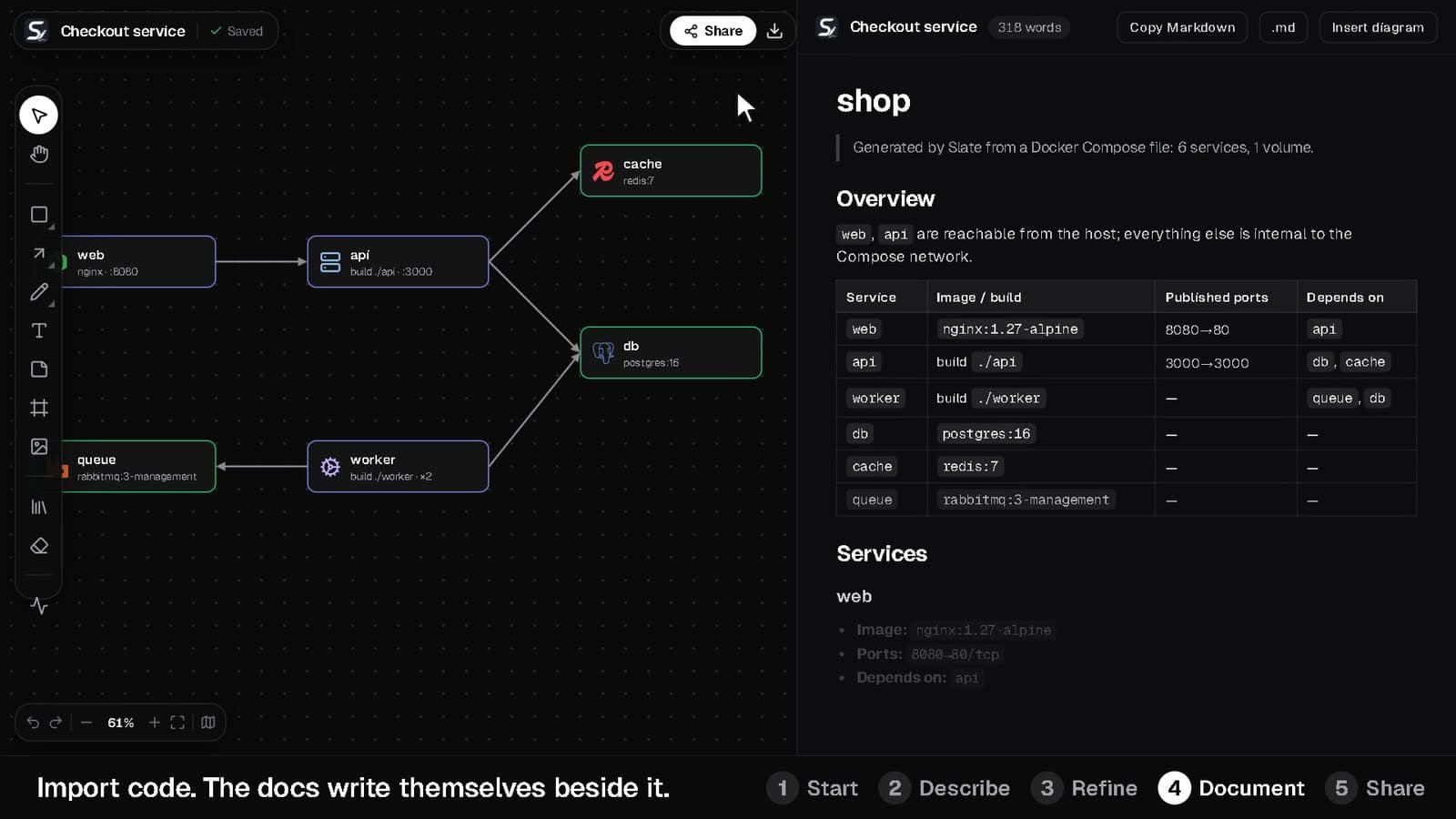
From a sentence to a diagram in four steps
- 1
Describe the system
Type what you want to build, such as “Uber low-level design” or “e-commerce microservices”. Slate AI returns a structured graph of components and the connections between them.
- 2
Get a clean layout
The graph is laid out in your browser with the ELK layout engine, so boxes don't overlap and arrows route around each other.
- 3
Refine it in place
Ask a follow-up like “put a Redis cache between the API and the database” and the same diagram is edited, not regenerated. You can also drag, restyle and connect anything by hand.
- 4
Document and share
Write the explanation in the markdown editor beside the board, then share one link that opens the board for viewing or editing.
Prefer text? Diagram as code
Every diagram can be written as plain text and turned back into one. The syntax is compact enough to keep in a pull request.
- Groups, icons and subtitles in one line each
- Arrows, back-arrows, double arrows and dashed links
- Any selection on the canvas can be turned back into code
title Checkout
type architecture
direction right

Edge [color: blue] {
  CDN [icon: cloudflare]
  API gateway [subtitle: "Rate limiting"]
}
Web app [icon: nextdotjs] > CDN > API gateway: HTTPS
API gateway <> Redis
Orders --> Kafka: events
More than a prompt box
Five diagram types
Architecture, flowchart, entity-relationship, mind map and sequence diagrams from the same prompt box.
Real product icons
170+ product logos such as Postgres, Kafka and Next.js, plus AWS, GCP and Azure service icons. Search understands aliases like k8s and postgres.
Live cloud cost
A running estimate of the monthly cost of the AWS, GCP and Azure services on your board, with cost-saving tips.
Architecture review
Get an instant structural check of the diagram, or a written review from Slate AI.
Real-time collaboration
Live cursors with names, shared selections and live drag previews, so a design review can happen on the board itself.
Export anywhere
Download PNG (1x to 4x, transparent), SVG or JSON, or copy the image straight to your clipboard.
AI Architecture Diagram Generator: common questions
Straight answers about how it works and what it costs.
Is the AI architecture diagram generator free?
Yes, to start. The Free plan includes 15 AI diagram credits a month. Pro (₹999 a month) includes 300 and Team (₹1,999 per seat a month) includes 1,000.
Can I edit the diagram after the AI generates it?
Yes. The result is a normal Slate board, so every shape, icon and connector is editable. Follow-up prompts also edit the existing diagram instead of starting over.
What kinds of diagrams can it generate?
Architecture diagrams, flowcharts, ER diagrams, mind maps and sequence diagrams.
Do I need an account to try it?
You can sketch on the free playground without an account. AI generation needs a free Slate account so credits can be tracked.
Can I turn the diagram into documentation?
Yes. Every board has a markdown document beside the canvas, and you can insert a snapshot of the diagram into it and copy or download the result as markdown.
Start with a blank board, or with a prompt
The playground needs no account. A free account unlocks AI diagrams, sync and sharing.